wheel TESLA MODEL X 2016 Owner's Guide
[x] Cancel search | Manufacturer: TESLA, Model Year: 2016, Model line: MODEL X, Model: TESLA MODEL X 2016Pages: 179, PDF Size: 4.3 MB
Page 96 of 179

3. Main viewing areaThe main viewing area changes depending on the app you have chosen (in the example, the
Nav and Media apps are displayed). For some apps (such as Nav and Web), you can zoom in and out using standard touchscreen
finger gestures.
4. Maximize/minimize app
Touch the small rectangle to expand the associated app to
fill the entire main viewing area
(some apps are not expandable). Touch again to display two apps in half-screen view.
5. Volume control
Touch the up and down arrows to increase or decrease the volume of the speakers. You can
also adjust the volume using the scroll wheel on the left side of the steering wheel.
6. Climate controls (see Climate Controls on page 105).
7. Controls
Touch to access all Model X controls and settings (doors, locks, lights, etc).
8. Reverse the position of the two currently displayed apps.
Warning: Paying attention to road and traffic conditions must always be the driver
Page 100 of 179

5. Cold WeatherIf Model X is equipped with the optional cold weather package, you can control all seatheaters as well as the heated wipers and steering wheel. Heaters that are turned on are displayed in red. To turn
off all seat heaters, touch All Off. Note that you can also control the
front driver and passenger seats using the main climate control panel located on the bottom
of the touchscreen (see Climate Controls on page 105).
6. Trips
View and reset the trip meters that summarize how far you have driven (see Trip Information
on page 62).
7. Displays
Manually control the touchscreen
Page 112 of 179

Overview
Touch the Media icon to listen to the radio or
play audio
files. The touchscreen displays the
Media Player. Media Player has two tabs. Use the Browse tab to select what you want to
play and use the Now Playing tab to view and
control what is currently playing. You can play
FM radio (including HD). You can also play Internet radio (such as TuneIn), and audio
filesfrom a Bluetooth-connected device or a USB-
connected flash drive.
Volume Control To adjust the media volume, roll the scroll
wheel on the left side of the steering wheel up
or down. To mute the volume, tap the scroll
wheel.
Note: The scroll wheel adjusts the volume for
media, navigation instructions and phone calls
based on what is currently in use. As you
adjust volume, the instrument panel displays
the volume level and whether you are
adjusting volume for media, navigation or phone.
Note: Muting the volume during a phone call
also mutes the microphone.
FM Radio Model X provides FM radio services. FM radio
can be selected from the Browse tab or using
the Source Picker, located in the upper right corner of the Media Player window.
You can manually tune the radio to any
frequency by touching and dragging the
channel selector bar on the Now Playing
screen. The channel selector bar allows you to
move from one available radio station to the next.
Internet Radio
Internet radio services are accessed over a
data connection. To use Internet radio, touch Media > Browse > Internet.
Choose your desired Internet radio service (for
example, TuneIn), then browse through the
available categories and/or stations. When
you select a
specific station or episode, Media
Player starts playing it and displays the Now
Playing screen.
To play the next (and in some cases previous)
available station, episode, or track being
provided by the Internet radio service, touch
the arrows on the Now Playing screen, or use
the buttons on the left side of the steering wheel (see Using Left Steering Wheel Buttons
on page 37). The exact function of these
controls vary depending on the
specificInternet service you are listening to.
Internet Radio Account Registration
Model X provides you with one or more
Internet radio services. To enter your log in
information, touch Controls > Settings > Apps > Media Player. Enter the email and
password associated with the Internet radio account(s) you want to use, then touch Log In.
TuneIn
TuneIn does not require an account for it to work. But if you have a TuneIn account (go to www.tunein.com ), you can log in as described
above.
When playing a TuneIn podcast, you can rewind or fast forward to any location in the
podcast by dragging the slider bar on the Now Playing tab.
Media and Audio
112Model X Owner
Page 113 of 179

Media SettingsTo adjust settings for your radio stations, and
to log into your Internet radio account(s),
touch Controls > Settings > Apps > Media
Player.
FavoritesTo add a currently playing radio
station or audio file to your Favorites
list, touch the Favorites icon on the
Now Playing screen. The icon turns
blue to show that it is a favorite. To
remove a favorite, touch the icon
again.
Note: Adding a radio station to your Favorites
list also assigns it to one of the six presets, if
an empty preset is available.
Note: To select a favorite radio station or
audio
file, you can browse your list of
Favorites by touching Browse > Favorites. As
shown below, the Favorites are grouped and
sorted by their source (FM, etc.).
To play the previous or next song or station in
your Favorites list, touch the previous or next
icon on the Now Playing screen, or use the buttons on the left side of the steering wheel
(see Using Left Steering Wheel Buttons on
page 37).
To remove a favorite from the list, touch the associated X.
Note: If you remove a favorite radio station or
channel that is assigned to a preset, it is also
removed from the preset.
My Music & Devices
To play audio
files from a USB-connected flashdrive or a Bluetooth-connected device, touch Media > Browse > My Music & Devices. The
name of the device will be displayed. Touch
the song, album, or playlist you want to play
and Media Player starts playing and displays
the Now Playing screen.
To play the next song in the selected playlist or album, touch the previous or next arrows
on the Now Playing tab, or use the buttons on
the left side of the steering wheel (see Using
Left Steering Wheel Buttons on page 37). You
can also
shu
Page 134 of 179

Inspecting and Maintaining TiresRegularly inspect the tread and side walls for
any sign of distortion (bulges), cuts or wear.Warning: Do not drive Model X if a tire is
damaged, excessively worn, or inflated to
an incorrect pressure. Check tires
regularly for wear, and ensure there are
no cuts, bulges or exposure of the ply/
cord structure.
Tire Wear
Adequate tread depth is important for proper
tire performance. Tires with a tread depth less
than 3 mm are more likely to hydroplane in
wet conditions and should not be used. Tires
with a tread depth less than 4 mm do not
perform well in snow and slush and should not
be used when driving in winter conditions.
Model X is originally
fitted with tires that have
wear indicators molded into the tread pattern. When the tread has been worn down to3.18 mm, the indicators start to appear at the
surface of the tread pattern, producing the
effect of a continuous band of rubber across
the width of the tire. For optimal performance
and safety, Tesla recommends replacing tires
before the wear indicators are visible.
Tire Rotation, Balance, and Wheel Alignment
Tesla recommends rotating the tires every
8000 km.
Unbalanced wheels (sometimes noticeable as
vibration through the steering wheel)
affectvehicle handling and tire life. Even with regular
use, wheels can get out of balance. Therefore,
they should be balanced as required.
If tire wear is uneven (on one side of the tire
only) or becomes abnormally excessive, check
the alignment of wheels.
Note: When replacing only two tires, always
install the new tires on the rear.
Punctured Tires
A puncture eventually causes the tire to lose
pressure, which is why it is important to check tire pressures frequently. Permanently repair
or replace punctured or damaged tires as
soon as possible.
Your tubeless tires may not leak when
penetrated, provided the object remains in the
tire. If, however, you feel a sudden vibration or
ride disturbance while driving, or you suspect a tire is damaged, immediately reduce your
speed. Drive slowly, while avoiding heavy
braking or sharp steering and, when safe to do so, stop the vehicle. Arrange to have Model X
transported to a Tesla, or to a nearby tire
repair center.
Note: In some cases, you can temporarily repair small tire punctures (under 6 mm) using
an optional tire repair kit available from Tesla.
This allows you to slowly drive Model X to Tesla or to a nearby tire repair facility.Warning: Do not drive with a punctured
tire, even if the puncture has not causedthe tire to
deflate. A punctured tire candeflate suddenly at any time.
Flat Spots
If Model X is stationary for a long period in
high temperatures, tires can form
flat spots.
When Model X is driven, these flat spots cause
a vibration which gradually disappears as the
tires warm up and regain their original shape.
To minimize
flat spots during storage, inflatetires to the maximum pressure indicated on the tire wall. Then, before driving, release airto adjust tire pressure to the recommended
levels.
Improving Tire Mileage
To improve the mileage you get from your
tires, maintain tires at the recommended tire
pressures, observe speed limits and advisory
speeds, and avoid:
Page 135 of 179
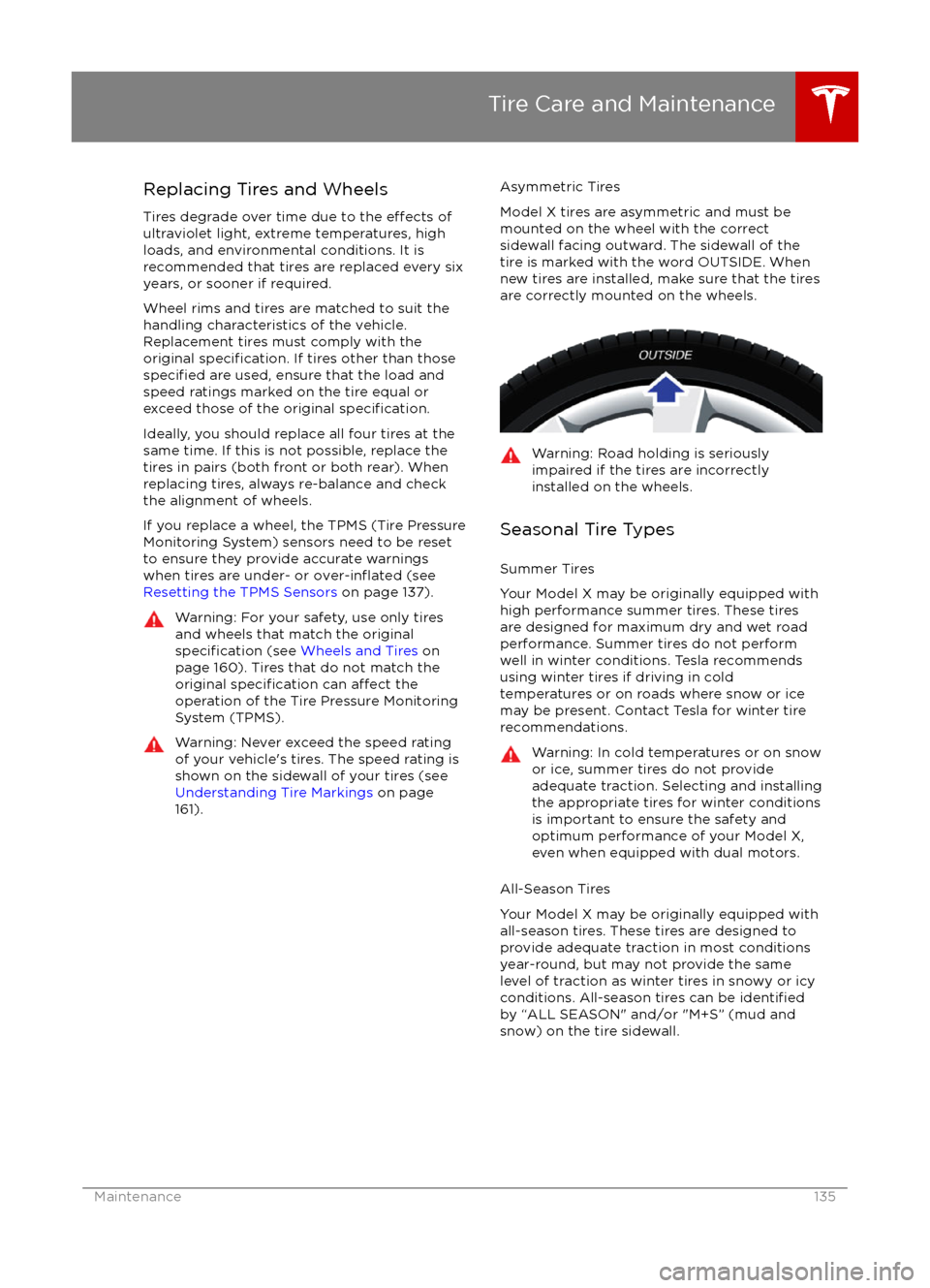
Replacing Tires and Wheels
Tires degrade over time due to the
effects of
ultraviolet light, extreme temperatures, high
loads, and environmental conditions. It is
recommended that tires are replaced every six
years, or sooner if required.
Wheel rims and tires are matched to suit the
handling characteristics of the vehicle.
Replacement tires must comply with the
original
specification. If tires other than thosespecified are used, ensure that the load and
speed ratings marked on the tire equal or
exceed those of the original
specification.
Ideally, you should replace all four tires at the same time. If this is not possible, replace the
tires in pairs (both front or both rear). When
replacing tires, always re-balance and check
the alignment of wheels.
If you replace a wheel, the TPMS (Tire Pressure
Monitoring System) sensors need to be reset to ensure they provide accurate warnings
when tires are under- or
over-inflated (see
Resetting the TPMS Sensors on page 137).
Warning: For your safety, use only tires
and wheels that match the original
specification (see Wheels and Tires on
page 160). Tires that do not match the
original
specification can affect the
operation of the Tire Pressure Monitoring System (TPMS).
Warning: Never exceed the speed rating
of your vehicle
Page 136 of 179

Winter Tires
Your Model X is not originally equipped with
winter tires. To increase traction in snowy or
icy conditions, consider installing winter tires.
When installing winter tires, always install a
complete set of four tires at the same time.
Winter tires must be the same size, brand,
construction and tread pattern on all four
wheels. Contact Tesla for winter tire
recommendations.Winter tires can be identified by amountain/snowflake symbol on the
tire
Page 137 of 179
correct tire pressure, even if under- orover-inflation has not reached the level
for the TPMS to trigger the Tire Pressure
Warning on the instrument panel.
Resetting the TPMS Sensors
After replacing one or more wheels, the TPMS
sensors must be reset to ensure tire pressure
warnings are accurate. However, note that the
TPMS sensors do not need to be reset after
replacing a tire or rotating wheels.
Note: Do not reset the TPMS sensors in an attempt to clear tire pressure warnings.
To reset TPMS sensors:
1.
Inflate all tires to their recommended
pressures, as indicated on the Tire and
Loading Information label located on the
driver
Page 139 of 179

Inflating with Sealant and Air
If you have a Tesla tire repair kit, follow these
steps to temporarily repair a small tire
puncture (less than 6 mm).
1. Stop Model X in a safe place away from
traffic and ask passengers to wait in a safe
area.
2. Turn on the hazard warning
flashers to
alert other road users.
3. If possible, position the wheel with the puncture at the bottom.
4. Detach the power supply connector from
the back of the compressor and plug it
into the 12V power socket located on the
front of center console.
5. Release the clear plastic hose from the tire compressor.
6. Remove the red cap and screw the end of the hose onto the tire
Page 142 of 179
Cleaning the ExteriorTo prevent damage to the paint, immediately
remove corrosive substances (bird droppings, tree resin, dead insects, tar spots, road salt,
industrial fallout, etc). Do not wait until
Model X is due for a complete wash. If
necessary, use denatured alcohol to remove
tar spots and stubborn grease stains, then
immediately wash the area with water and a
mild, non-detergent soap to remove the
alcohol.
Follow these steps when washing the exterior
of Model X:
1. Rinse Thoroughly Before washing,
flush grime and grit from
the bodywork using a hose. Flush away
accumulations of mud in areas where
debris easily collects (such as wheel
arches and panel seams). If salt has been used on the highways (such as during
winter months), thoroughly rinse all traces of road salt from the underside of thevehicle.
2. Hand Wash
Hand wash Model X using a clean soft
cloth and cold or lukewarm water
containing a mild, good quality car
shampoo.
3. Rinse with Clean Water
After washing, rinse with clean water to
prevent soap from drying on the surfaces.
4. Dry Thoroughly and Clean Exterior Glass
After washing and rinsing, dry thoroughly
with a chamois.
Clean windows and mirrors using an automotive glass cleaner. Do not scrape,
or use any abrasive cleaning
fluid on glass
or mirrored surfaces.
Cautions for Exterior CleaningCaution: Do not use windshield treatmentfluids. Doing so can interfere with wiper
friction and cause a chattering sound.Caution: Do not use hot water and
detergents.Caution: In hot weather, do not wash in direct sunlight.Caution: If using a pressure washer,
maintain a distance of at least 30 cm
between the nozzle and the surface of
Model X. Keep the nozzle moving and do
not concentrate the water jet on any one
area.Caution: Do not aim water hoses directly
at window, door or hood seals, or through
wheel apertures onto brake components.Caution: Avoid using tight-napped or
rough cloths, such as washing mitts.Caution: If washing in an automatic car
wash, use Touchless car washes only. These car washes have no parts (brushes,
etc.) that touch the surfaces of Model X.
Using any other type of car wash could
cause damage that is not covered by the
warranty.Caution: Do not used chemical based
wheel cleaners. These can damage the
finish on the wheels.
Caution: Avoid using a high pressure
power washer on the rear view camera or
parking sensors (if equipped) and do not
clean a sensor or camera lens with a
sharp or abrasive object that can scratch
or damage its surface.
Cleaning
142Model X Owner